A shared UI, native capabilities
Sharing Vue simplifies web and iOS development. System features use a separate bridge that also needs testing on a physical device.
Independent product · 2026
 saldo.
I wanted to know where my money went, without another spreadsheet. That became Saldo: an app for expenses, budgets and shared finances.
The key decision
A nice chart is not enough for a finance app. Amounts must add up, data must stay in the right workspace and saving an expense needs clear rules. That is where I started.
Interactive examples · sample data · no connection to your account
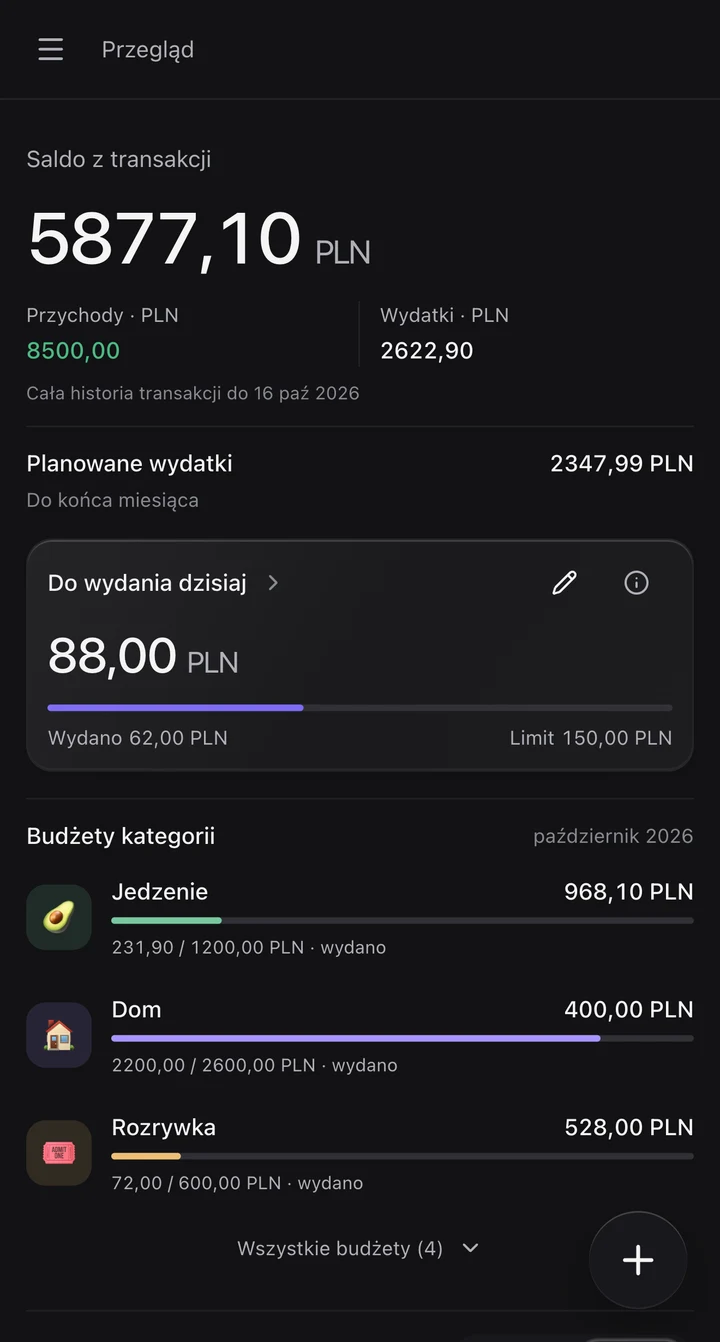
The user sets a daily limit. Not every expense has to count towards it: rent is still an expense when you exclude it from this particular view.
Today's expenses
Left for today
Daily limit − included expenses on that day
The switch changes neither the transactions nor their total.
A new day, the same limit. Unspent money does not roll over; yesterday's expenses stay in history.
Scanning a receipt should save typing, not take away control. The result goes into an editable form. A transaction is only recorded after confirmation.
17 Oct 2026
A prepared recognition example. No photo is sent to an AI service.
Start the example to see the data review step.
Pro belongs to a specific workspace. The subscriber chooses one of their own workspaces, and its members share the features and usage limits.
Your subscription covers one chosen workspace.
Joining someone else's Pro workspace does not use your slot. You can still have your own Pro workspace.
Choose a layer. Each has its own responsibility; finance rules do not depend on the screen, database or payment provider.
TypeScript · business rules
A separate domain package models finance. Money is stored in minor currency units; parsing and aggregated calculations use BigInt. The rules can be tested without running a UI or database.
Decisions and trade-offs
Sharing Vue simplifies web and iOS development. System features use a separate bridge that also needs testing on a physical device.
Receipts and AI commands produce suggestions for confirmation. An authorised bank connection can import in the background. These are two different flows.
Payment enables Pro for a specific workspace. Roles still control who can view and change its data, and members share usage limits.
Transactions, budgets, goals and shared finances, in the app behind this case study.
The iOS app is currently available only in Poland.